Developers need to set up their developer computer before they are able to build and deploy Pooka SDK® applications, which has the following steps involved:
Pooka SDK [edition] [version].msi or Pooka SDK [edition] [version].dmgPooka SDK [edition] [version].zipPooka_SDK environment variable (Windows) and custom path (macOS/XCode) are successfully set.Pooka_SDK variable / path in their system.The following chart shows the details of each steps to prepare developers' computer for Pooka SDK® application development.
| Host OS1 | 
| 
|
|---|---|---|
| Step 1 - Install Pooka SDK® | 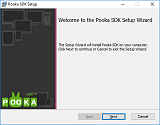
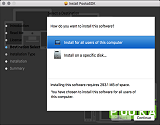
| 
|
| Step 2 - Install recommended IDEs | Install Visual Studio 2015 (update 3) or Visual Studio 2017 (15.5) 4 with at least the following components selected:
| Install XCode 8.x or XCode 9.x 5 with the version support the following minimum platforms:
|
| Step 3 - Additional Third-party Component Setup | For UWP Development: Download and install Microsoft Advertising SDK For Android Development: Install the optional component Google Play Services Component with Android SDK Manager. Launch Android SDK Manager ("SDK Manager.exe") with administrator privileges, then in package tree view, select the following packages and install them:
| Nothing |
| Step 4 - Pooka SDK® Path Setup6 | Add Pooka_SDK environment variable with the value pointing to the Pooka SDK® root directory.To add an Windows environment variable, go to "This PC / Properties / Advanced System Settings / Environment Variables". | In XCode preference, go to "Locations / custom paths (tab)", add a new custom path Pooka_SDK with value pointing to the Pooka SDK® root directory. |
Note
1 - The host OS is used to host the application development tool set and IDE, which is irrelevant to the target platform of the Pooka SDK® application.
Pooka SDK® recommended host OSs are:
2 - If Pooka SDK® is installed on a location with path contains space character, then sample applications may be unable to be built for certain types of platforms, such as Android. The workaround is moving sample projects to a location with path does not contain space character, like X:\Pooka_Sample_Projects.
3 - Pooka SDK®'s sample projects has very deep directory structure, therefore their project and source code have very long file path. If the SDK itself is installed on a location with long path, it may easily make the project and source code path exceed the operating system path length limitation (such as 250 characters) and cause sample projects unable to be built. Solutions:
4 - Using older version Visual Studio to build Pooka SDK® application may not work, or the generated executable is not compatible with latest version Windows platform.
5 - Using older version XCode to build Pooka SDK® application may not work, or the generated executable is not compatible with latest version macOS and iOS.
6 - This step is only needed if If Pooka SDK® is installed by unpacking the Zip archive, or the installer failed to set the Pooka_SDK environment variable or custom path.
If Pooka SDK® is installed by the SDK installer, the Pooka_SDK environment variable (Windows) or XCode custom path (macOS) should be successfully set upon successful installation, which is very important because Pooka SDK® project relies on this variable or path to find needed SDK headers and libraries.
There might be some cases that this environment variable or custom path can not be set by installer properly, such as:
In any cases that the Pooka_SDK environment variable or custom path is properly set, developers need to manually set it in host OSs:
System Properties dialog, then click Advanced system settings, in the next pop-out dialog, click Environment Variables button. Add or set Pooka_SDK variable in either "user variables" or "system variables".7 8Preferences... dialog, choose Locations tab then select Custom Paths. Add or set Pooka_SDK custom path.8
Note
7 - Note that on Windows, the "user variables" take precedence over the "system variables" (except the PATH variable).
8 - If the IDE is currently running, then restarting the IDE is needed.
Read Pooka SDK® Directory Structure and Tools
Developers can use recommended development tools (IDE) to develop applications with Pooka SDK®, see the recommended IDEs listed in the chart below.
Alternatively, there are plenty of IDEs that can be used for Pooka SDK® application development. The sample applications included in the Pooka SDK® are provided with project file for only recommended IDE. In order to other alternative IDEs, developers need to prepare proper project settings and building scripts to build the sample applications.
Caution It is developer's own choice to use alternative IDEs for Pooka SDK® app development, which requires strong knowledge on native platform SDK and IDE configuration.
Caution Due to compiler difference, Pooka SDK® applications generated by alternative IDEs may not perform properly and consistently.
Caution Pooka SDK® does not provide any technical support for alternative IDEs.
| App Target OS | Recommended IDE | Alternative IDE |
|---|---|---|
|
| 
| Visual Studio 2008, 2010, 2012, 2013 Eclipse, NetBeans, C++ Builder |

|
| |

|
| Android Studio, Eclipse, NetBeans |
|
| 
| |

|
| Visual Studio 2015, 2017 |
Note
9 - Visual Studio 2015 (update 3), 2017 (15.5) with following components installed: a. Programming Languages: Visual C++ b. Windows and Web Development: Universal Windows App Development Tools c. Cross Platform Mobile Development: Visual C++ Mobile Development
10 - XCode 8.x, 9.x with following minimum platform support: a. macOS 10.12 b. iOS 10.x
Using alternative IDE to develop Pooka SDK® applications requests solid knowledge on platform's application SDK and build tools. Developers also need to be proficient in IDE's build tools and project properties. Particularly, the following questions should be listed on the check list before start trying Pooka SDK® application with an alternative IDE:
All sample projects of Pooka SDK® are provided with projects files used for recommended development IDE.
Pooka_SDK environment variable set on Windows, or there is no a valid custom path Pooka_SDK set in XCode IDE.Reason: There are various reason for causing the case of unable to deploy Pooka SDK® application on the target device, such as:
error "cl : Command line error D8003: missing source filename"Pooka_SDK environment variable's value has a trailing slash (\), such as X:\PookaSDK\.\). Refer to the Manually Set SDK Environment Variable / Custom Path.### Issue: (Windows UWP specific) Application deployment fails with identity conflicts#
error "DEP0700 : Registration of the app failed. Another user has already installed an unpackaged version of this app."Name and PhoneProductId in the following code snippet: error MSB3073: The command ""C:\Program Files (x86)\Microsoft Visual Studio 14.0\Apps\apache-ant-1.9.3\\bin\ant.bat" -Dtarget=android-19 -DProjectDir=X:\Pooka SDK\Samples\MiniFC.NetExt\HttpClient\WebImage\WebImage.Android\WebImage.Packaging\ debug -Dout.final.file=\"X:\temp\Pooka SDK\Samples\MiniFC.NetExt\HttpClient\WebImage\WebImage.Android\WebImage.Packaging\_Bin_\ARM64\Debug\WebImage.apk"" exited with code 1.Pooka_SDK environment variable set on Windows, or there is no a valid custom path Pooka_SDK set in XCode IDE.Pooka_SDK environment variable set on Windows, or there is no a valid custom path Pooka_SDK set in XCode IDE.